Febspot
  • Explore
  • World
  • Business
  • Politics
  • Science
  • Tech
  • Culture
  • Health
  • Sports
  • AI
  • Crypto
  • Latest videos
Sign in Subscribe
Tech

What Roku TV resets do and how to remove a device from your account
Febspot

16 Jan 2026 • 1 min read
What Roku TV resets do and how to remove a device from your account — Zdnet.com
Image source: Zdnet.com

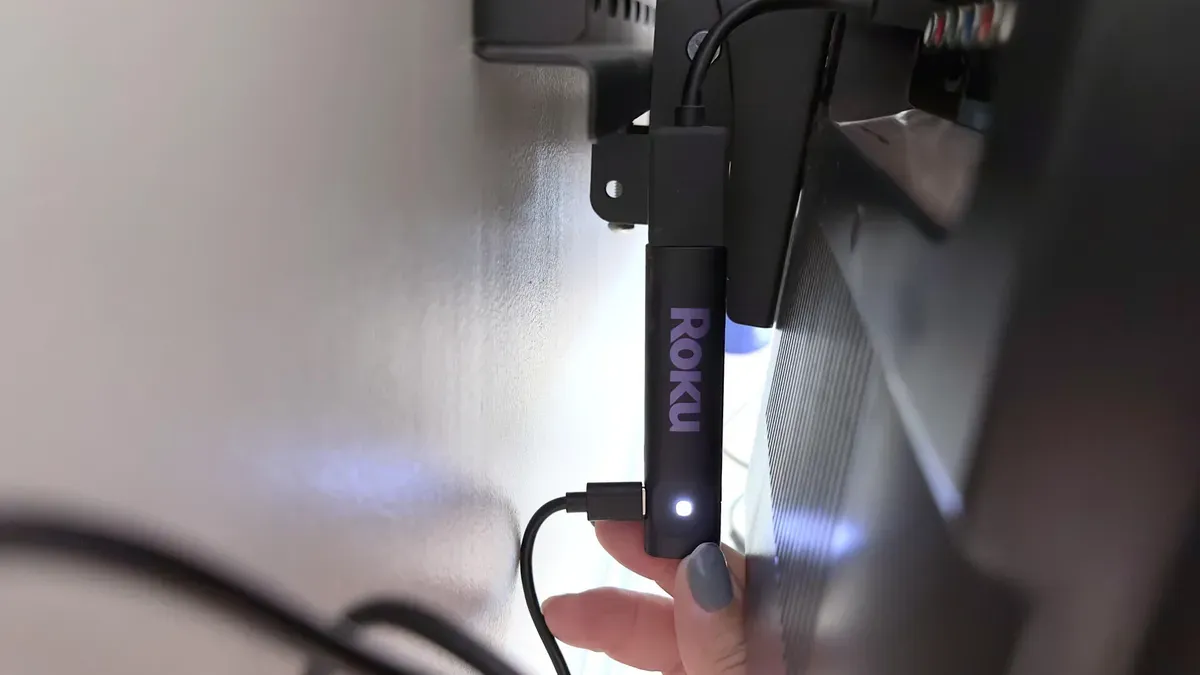
A guide explains the differences between Roku TV resets and what each one affects, including how to remove a device from your Roku account if you plan to give it away or sell it.

A system restart (soft reset) simply reboots the device and does not delete apps, network information, or sign-ins. A factory reset removes device-specific settings and preferences, but purchased or rented movies remain linked to your Roku account and will reappear after you set up and sign back in; you will need to reinstall channels and log into them.

A network connection reset (Home > Settings > System > Network connection reset) clears all saved Wi‑Fi and network settings, forcing the Roku to forget every network; after that you must reconnect to Wi‑Fi as if setting the device up for the first time. A reset cannot repair hardware failures such as faulty HDMI ports or damaged memory, though it does fix most software issues.

If your remote does not work at all, the guide notes you can try the Roku mobile app as a temporary remote. The author says, "I suggest you restart it once a week" to refresh memory and give a temporary performance boost.

To remove a device from your account, visit my.roku.com and sign in, go to your account, open the section called My devices, select the device you plan to give away, choose the "Remove device from account" option, and confirm the device no longer appears in your account list.


Key Topics

Tech, Roku, Roku Tv, Roku Account, Factory Reset, Network Connection Reset

Sign up for more like this.

Enter your email
Subscribe
LCD emulation preserves iconic Nintendo handhelds and their rivals — Gamesradar

LCD emulation preserves iconic Nintendo handhelds and their rivals

BrickEmuPy is a handheld LCD games emulator written in Python with PyQt6. Created by developers Azya52 and Andrei Cherniaev, the project has already preserved more than 60 portable classics and has been highlighted by Time Extension. The collection spans Tamagotchis and Digimon Digivices to Legend of Zelda and Super Mario
20 Jul 2026 1 min read
GW SIG Seminar on LISA Preparatory Science, 23 July 2026 — NASA Science

GW SIG Seminar on LISA Preparatory Science, 23 July 2026

The GW SIG Seminar on LISA Preparatory Science and LISA Science Gaps is scheduled for 23 July 2026. The seminar will focus on LISA Preparatory Science and LISA Science Gaps. Details TBA. lisa, gw sig, seminar, lisa preparatory, preparatory science, lisa science, science gaps, 23 july, 2026, details tba
20 Jul 2026
UGREEN Steam Deck dock drops to $40 on Amazon — Kotaku

UGREEN Steam Deck dock drops to $40 on Amazon

The Steam Deck offers a convenient, portable way to access nearly your entire Steam library, borrowing clear design cues from the Nintendo Switch. Amazon currently has the UGREEN USB-C docking station on sale for 33% off — normally $60, now $40 — a $20 saving for a limited time. Built from two
20 Jul 2026 1 min read
Terms of Service About Cookie Privacy Contact
© 2026 Febspot