Testing Siri AI on macOS 27: how it performed
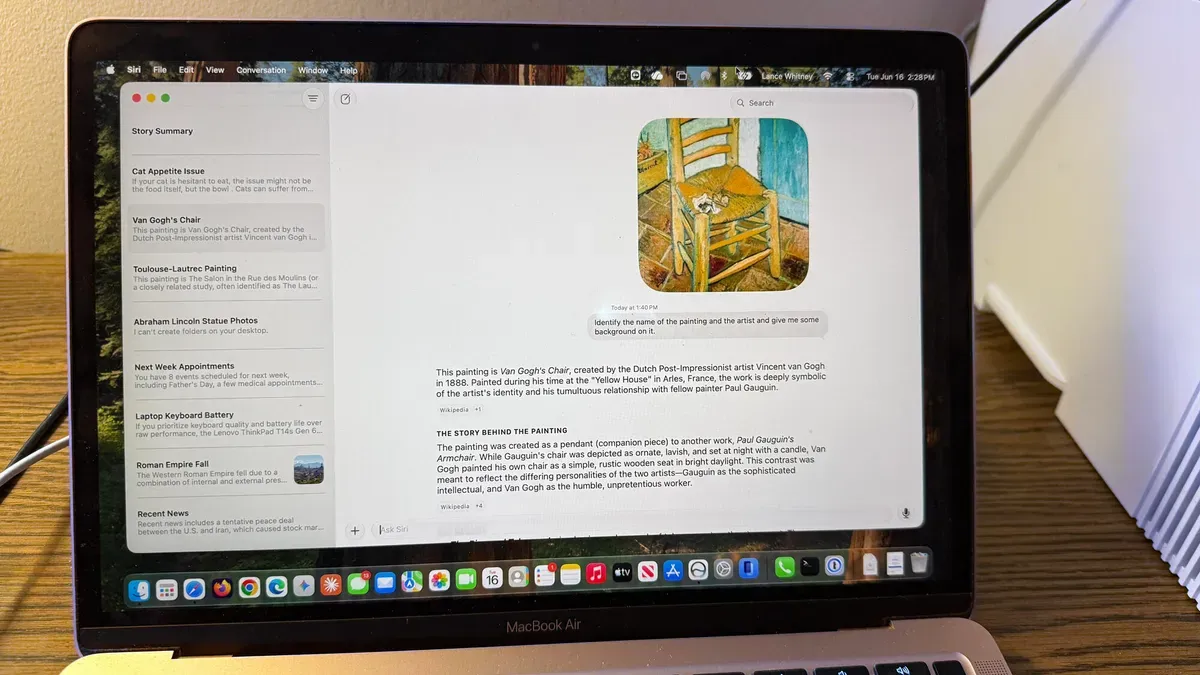
I tried the new Siri AI available on the macOS 27 developer beta, which requires a device that supports Apple Intelligence and a spot on a waitlist. I installed the beta on spare hardware—an iPhone 15 Pro and a MacBook Air M1—and was able to access Siri AI on the Mac without waiting long.
On a Mac you can summon Siri AI several ways: voice activation with “Hey Siri,” the dedicated Siri AI app, pressing the Command key twice to type, Command+space to ask via Spotlight, or using Ask Siri from a right‑click menu. I tested general questions, file and photo searches, image uploads, screen summaries and multi‑turn conversations to see how the assistant handled varied tasks.
Siri often behaved like other chatbots but was less chatty and more direct. It gave a concise rundown of news, provided a short answer about why the Roman Empire fell with source links, and initially declined to offer a laptop recommendation until prompted to summarize and give an opinion.
siri ai, macos 27, developer beta, apple intelligence, waitlist, iphone 15, macbook air, spotlight, voice activation, screen summaries