Play Angry Birds and other mobile games on your Android Auto screen
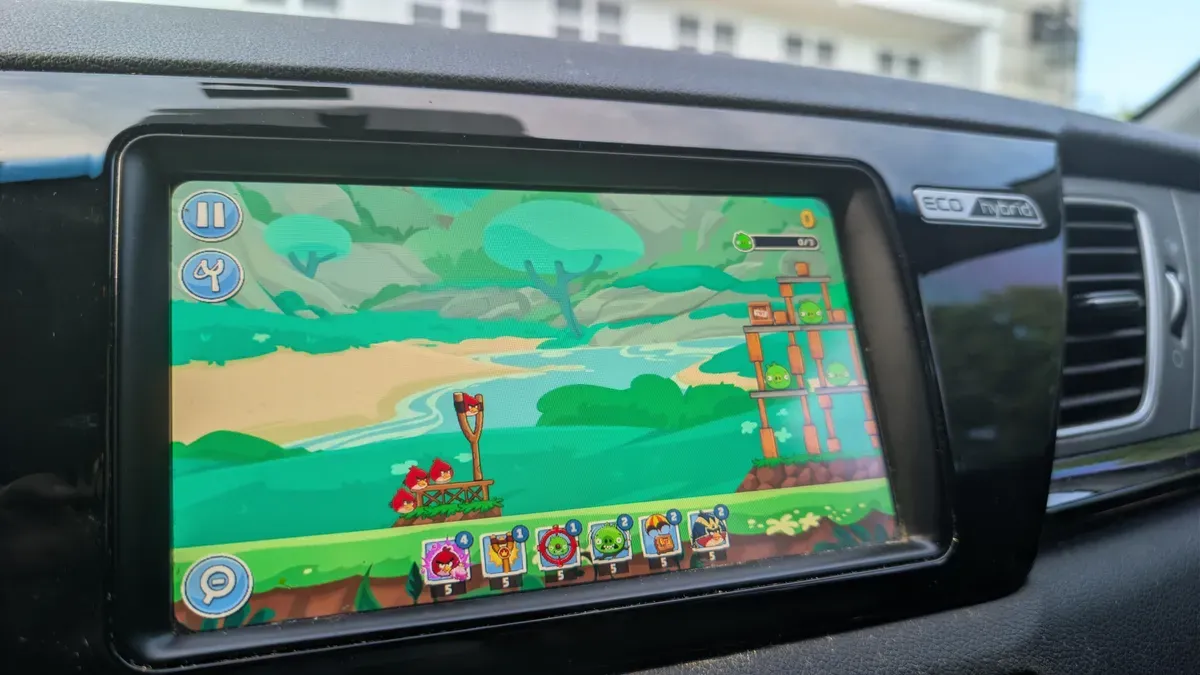
Several popular mobile games are compatible with Android Auto, letting you play on your car's touchscreen. The Gamesnacks app hosts dozens of light titles that resemble early internet flash games but are the same apps you'd run on your phone; most use simple touch controls and suit short, slow-paced sessions.
To get started, install the games on your phone and have your vehicle in park. When connected to the car and the app is open in Android Auto, you can still use your phone for other tasks, which is handy if you need to keep hold of the device while passing time with a child or during a brief wait.
A quick run-through found the games don't run as smoothly as on a phone but are comfortable to play. Angry Birds Friends works well on a car screen: the slingshot gameplay is easy to pick up, progress saves to your phone, and levels are quick to replay for higher scores.
android auto, angry birds, gamesnacks, mobile games, car touchscreen, touch controls, slingshot gameplay, progress saves, phone multitasking, parked vehicle