I programmed a $7 ESP32-S3 to block web ads in minutes
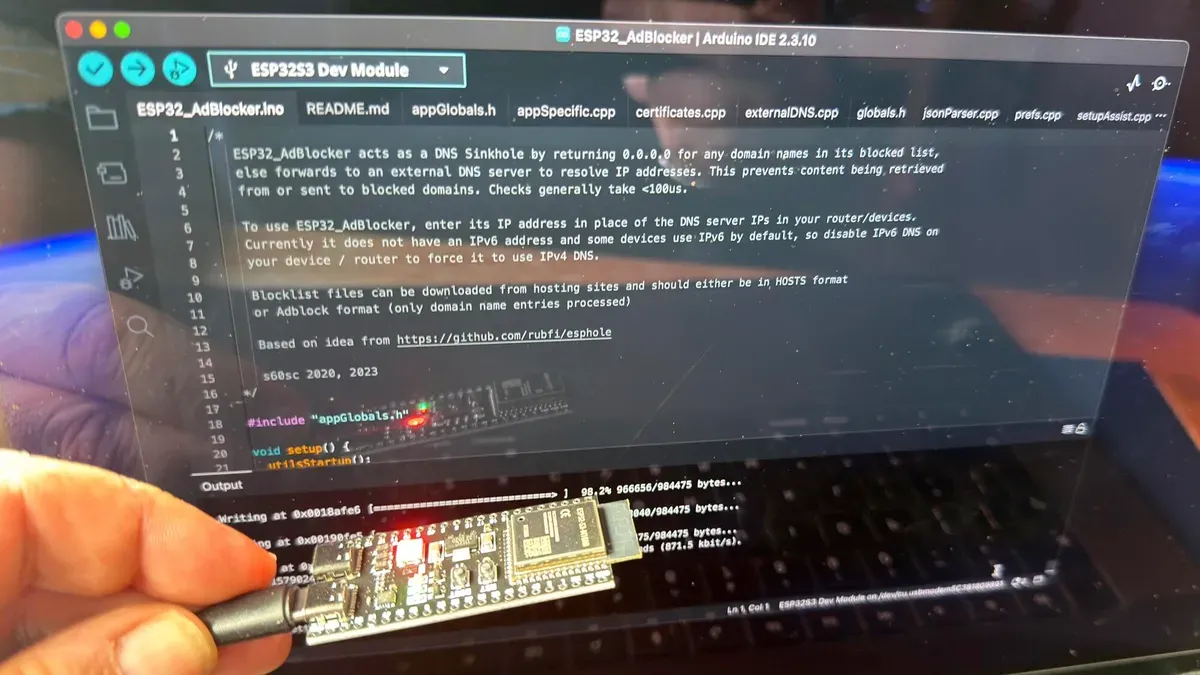
Rising Raspberry Pi prices pushed the author to try a cheaper alternative: an ESP32-S3 board that can run ad-blocking software. The boards are inexpensive and, with the right model (ESP32-S3 with 8MB of PSRAM), provide enough power to run the ad-block project. Setup is straightforward.
Download ESP32_AdBlocker, install the Arduino IDE, connect the board via the USB-C port marked COM or USB/Native, and upload the software. On first boot the board creates a Wi-Fi access point; visit 192.168.4.1 to add your router credentials and specify the blocklist URL.
The ESP32 acts as a DNS sinkhole: devices that use it for DNS receive 0.0.0.0 for addresses on the blocklist, preventing ad resources from downloading and saving bandwidth. This method won’t stop ads served from the same address as desired content (for example, some YouTube ads) and doesn’t handle IPv6 addresses.
esp32-s3, raspberry pi, esp32_adblocker, arduino ide, usb-c, wi-fi ap, 192.168.4.1, dns sinkhole, blocklist, ipv6