How I block ads with a $7 Raspberry Pi alternative
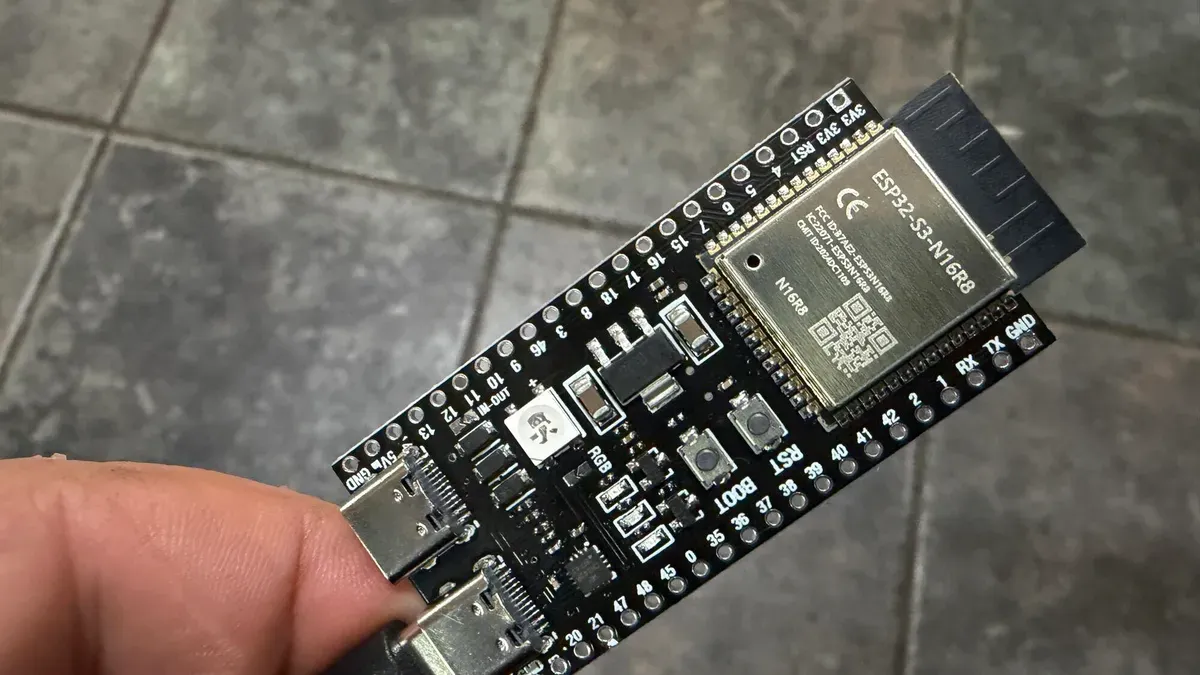
Rising Raspberry Pi prices pushed me to try a cheaper board for an ad-blocking project. An ESP32-S3 can act as a DNS sinkhole, stripping out ads before they are downloaded, and you can pick one up for under $10 (the cheapest way is often a 3-pack for $20). What you need is the ESP32-S3 with 8MB of PSRAM, the ESP32_AdBlocker software and the Arduino IDE.
Install the software by configuring the Arduino IDE for the ESP32 board, connecting the board to your PC with a USB-C cable (use the port marked COM or USB/Native on the board) and clicking upload—no coding required. Common problems include using a charge-only USB-C cable and needing to tweak compile and board settings.
On first boot the ESP32 starts in Wi‑Fi access point mode; connect to it and visit 192.168.4.1 to add your router SSID and password, then specify the URL of the blocklist you want. Finally, point your devices or router to the ESP32's address as the DNS server so the board can filter every DNS lookup.
raspberry pi, esp32-s3, ad-blocking, dns sinkhole, esp32_adblocker, arduino ide, 8mb psram, usb-c cable, blocklist url, 192.168.4.1