I used HyperDroid to make Android look and feel like Windows 11
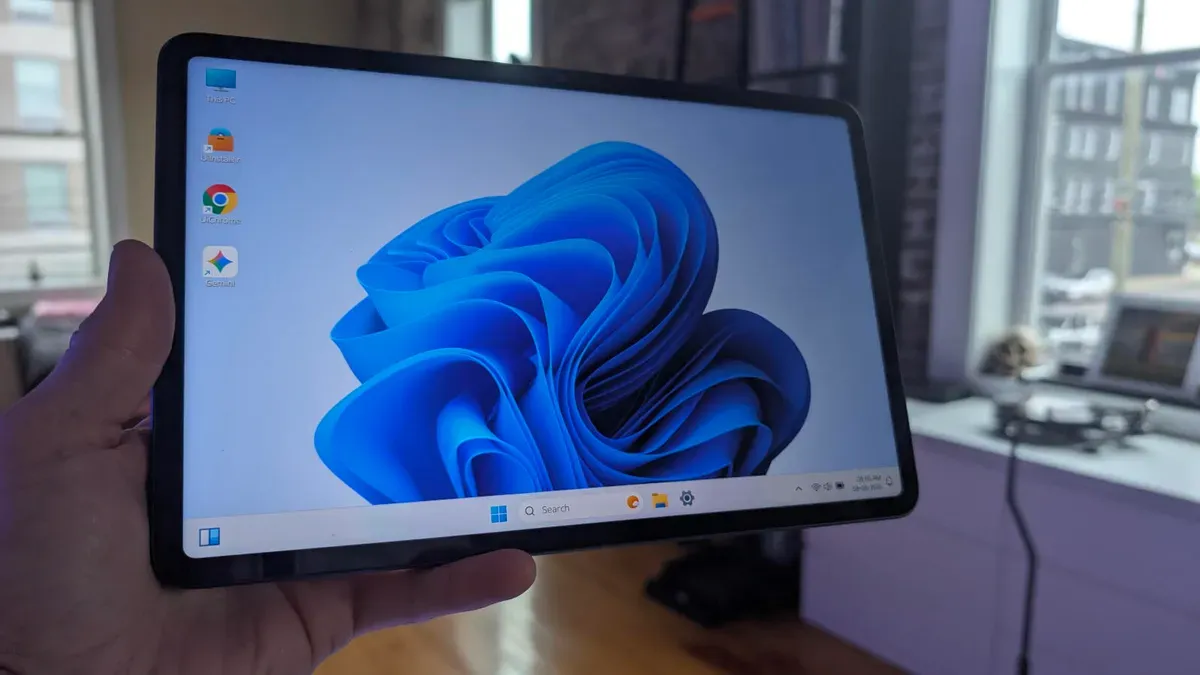
HyperDroid transforms an Android phone or tablet into a Windows 11–style environment. On first launch I was taken aback: my Pixel 9 Pro looked as if it had waltzed off the Microsoft campus. The developer nailed the look and feel. You get a taskbar, desktop menu, desktop launchers, search, system tray, widgets, theme options and quick settings, plus a convincing blur effect.
Performance was outstanding on both phone and tablet, animations were smooth, and the interface behaves like a desktop UI. I also installed it on a Nubia Pad Pro and found it even more at home on the larger display. Some features misbehaved. Widgets repeatedly reported no internet access and often showed AP News or Reuters; adding a widget typically required killing and restarting HyperDroid.
On phones the display can feel slightly too small and HyperDroid does not support portrait mode, making tablets the better fit. Installation is straightforward: head to the Google Play Store, search for HyperDroid and tap Install.
hyperdroid, android, windows 11, pixel, nubia pad, taskbar, widgets, system tray, play store, portrait mode